
Technical Writing

How To Use Pagecloud in 2024 | TRUiC

How To Sign Up With Pagecloud

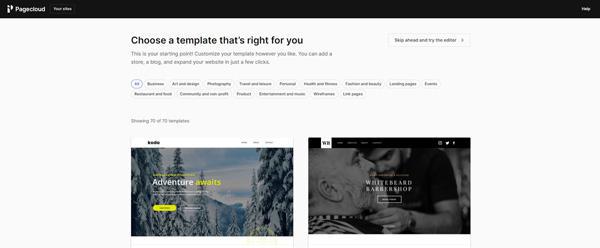
Before you can begin using the Pagecloud website builder, you’ll need to sign up and create an account. At Pagecloud.com, you’ll see a “Create a website” button in the upper-right corner of the screen. Click on it and complete the process of registering with Pagecloud, including entering your name, email address, and preferred password. Then, click on the “Continue” button to move to the next stage of the process: picking your website’s template.

How to Use the Webnode Website Builder | TRUiC

To change the fonts:

Starting at the website editing page, click on the “Settings” icon at the top of the screen.
Click on the “Design” option in the menu that then appears.
Find and click on the “Change fonts” option in the “Design Settings” menu that then opens.
Back at the website editing page, you’ll now see a “Font settings” option at the top of the screen. Click the drop-down font menu to choose a new font.
When you’re done, click on the “Save changes” button.

Is Your IT Services Company In Chicago Recommending Gartner Magic Quandrant Solutions?

With so many IT services companies to choose from, you are probably wondering how to choose the best one for your company. One of the biggest factors you can use to differentiate one provider from another is the standards each set for itself and its clients. Some IT companies cater to businesses who want to save as much money as possible, even if it means inferior technology solutions.